



Show your client what every call produced.
Each call is saved with its outcome and transcript. See every lead on one board, then export the results as a CSV for your client report.
From call to client report
No one on your team types a call outcome in by hand.
Calls log themselves
When a call ends, its outcome and transcript are saved against the lead.
The board stays current
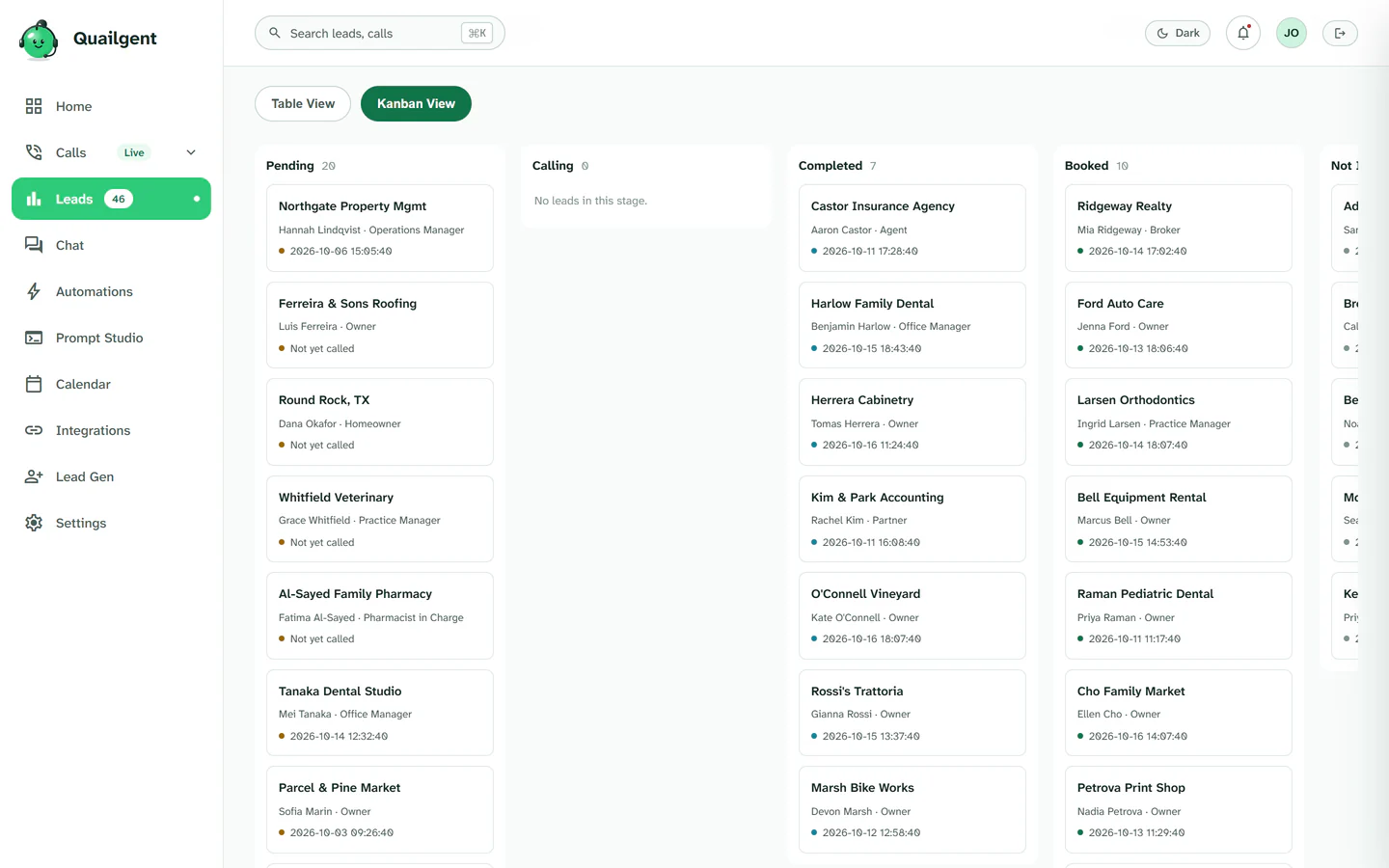
Leads sit in Pending, Completed, Booked or Not Interested, so you can see what is worth a callback at a glance.
Export for the client
Download the lead results as a CSV for your own sheets, CRM or the client's weekly report.
Every lead, one board
The pipeline shows where each lead stands after the agent's call.
Evidence you can hand over
Everything below exists in the product today.
Transcript for every call
Open any call from the history and read exactly what the agent and the prospect said.
Dashboard and CSV
A dashboard of call outcomes and conversion, plus a CSV export of your leads. It exports to a file; there is no direct Salesforce or HubSpot sync.
Call QA scorecard
Calls are scored against a quality checklist, and a human reviewer can override the score. Booked meetings are checked against the recording.
Part of one system
Reporting is the end of a chain that starts with the script.






See the report from your own campaign
Run a pilot and judge it on the transcripts and outcomes it produces.