


Point it at a list. It works through it.
Import a client's leads from a CSV and run the campaign on Twilio. The AI agent calls them one after another, and you can pause, stop or skip whenever you want.
From a spreadsheet to a running campaign
No dialler integration to build. Quailgent places the calls itself.
Import the leads
Upload the client's list as a CSV. Each lead keeps its own status, notes and call history.
Start the campaign
The AI agent dials the list on Twilio, one lead after another. Leads marked do-not-call are never dialled.
Stay in control
Watch the lead currently on the line, pause or stop the run, skip a lead, and see each status update as the call finishes.
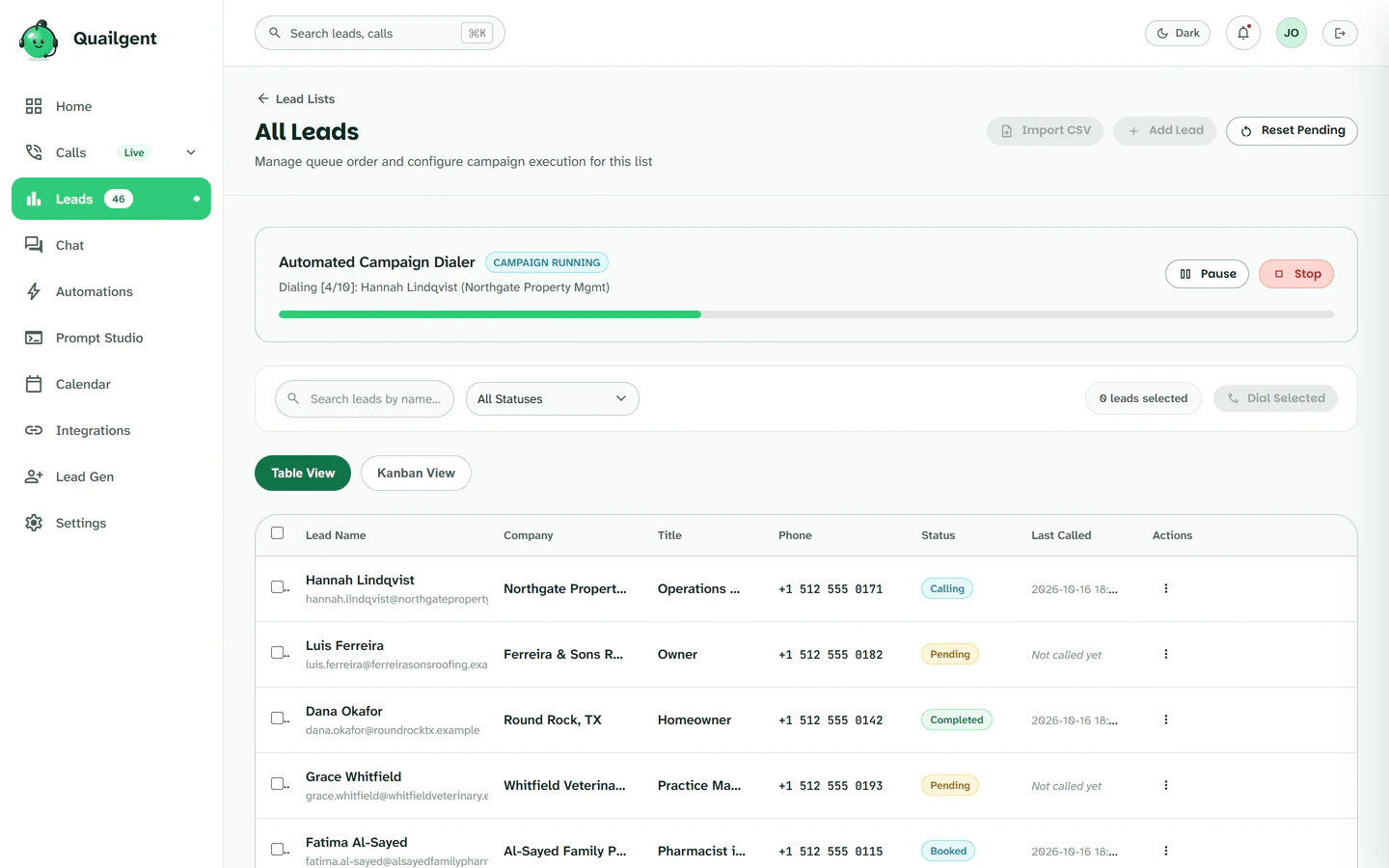
A campaign mid-run
The agent is on lead 4 of 10, and each lead's status updates in the list as calls finish.
What the dialer does, and what it does not
We would rather you know before the pilot.
It does
Import a CSV, call each lead in order on Twilio, mark and skip do-not-call leads, let you pause, stop or skip, and record every call on our server with a transcript.
It does not (yet)
Connect to VICIdial or other dialler platforms, predictive or parallel-line dialling, answering-machine detection, or live transfer to an agent. Interested leads are flagged with a transcript for your team to call back.
Part of one system
The dialer feeds the agent, and the agent feeds your reporting.


Pipeline & reporting
Every outcome and transcript in one place, with CSV export.
Explore Pipeline & reporting



Run one client campaign through it
Send us a lead list and a script. We set it up and you watch the calls.